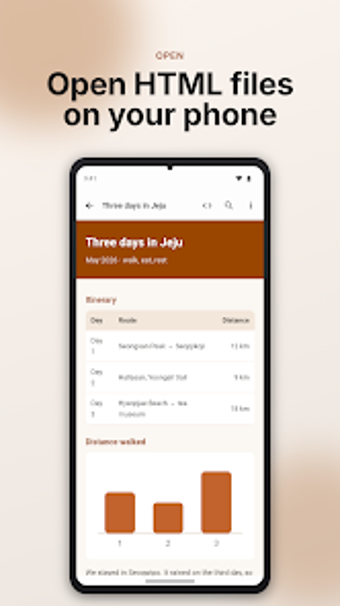
Inspect and preview local HTML folders on Android devices
Experience viewing rendered pages and source code side by side: HTML Viewer - HTML File Reader opens local HTML files and entire folders so images and styles resolve correctly. IndieWay builds this Android utility for developers, students, and anyone verifying offline web layouts. It includes a rendered view, a line-numbered source view, PDF export, encoding selection, and privacy-minded defaults that work without an internet connection.
What does the app actually do for local web files?
HTML Viewer opens .html, .htm, and .xhtml files and can load entire folders so relative links, images, and CSS render as they do on disk. The app offers two main modes: a rendered page view and a source-code view with line numbers. It supports files up to 20 MB and includes page navigation tools such as zoom, text-size adjustment, and find-in-page.
Does it impact device performance during viewing?
The tool is designed for lightweight use on Android devices that meet the requirement of Android 11 or later. Because it operates offline on local files, typical operations such as opening a rendered page or switching to source view are limited to local I/O rather than network traffic. The app's size and memory profile are not listed, but the 20 MB file limit imposes a practical cap on memory and processing needs during rendering.
Is it safe and suitable for non-technical users?
The app disables scripts by default for unfamiliar files and prompts before opening external links, which reduces unsafe network activity while viewing unknown documents. Recent files appear on the home screen for quick access. Advanced options like selecting text encoding (for example, UTF-8 or EUC-KR) and toggling line wrap target users who inspect source code, while the read-only design keeps casual users from accidentally modifying files.
A reliable viewer for offline verification, with one notable trade-off
The app serves people who need to verify how local HTML files display on mobile devices and to inspect source code without network access; it prioritizes privacy and safe defaults. The primary trade-off is that it is strictly a viewer, so anyone who needs in-app editing or authoring must use a different tool. For offline inspection and PDF export from rendered pages, it performs the intended role well.